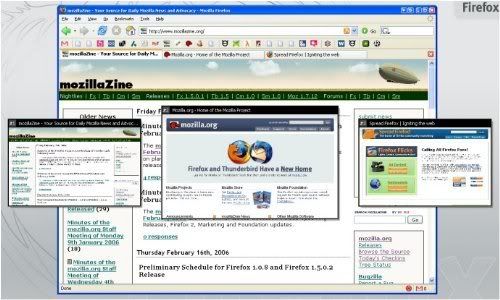
Tab browsing for Firefox is almost perfect for most average to intermediate users. But for a geek everything has to be picture perfect. Here are few Tab extensions that extracts more out of the already lean and mean Firefox browser.
Tab Mix Plus
Tab Mix is probably the most used tab extension. Most of the cool features came with Firefox 2. It includes such features as duplicating tabs, controlling tab focus, tab clicking options, undo closed tabs and windows, plus much more. Also the session manager gives it total control over crashes.
Fancy Numbered Tabs
Replaces the close tab graphic with numbers to help with quick tab navigation via CTRL + [1-8] or Alt + [1-8].
Tree Style Tab
This extension is quite interesting, it replaces the normal bar tab structure and provides a tree-style tab bar, like a folder tree of Windows Explorer. You can collapse/expand sub trees, really handy when browsing with too many tabs.
Separate Tabs
This extension automatically sorts your tabs according to the domain name.
Tab Scope
Shows a popup on tabs and enables you to preview and navigate tab contents through popup.
TabRenamizer
Scared of someone looking over your back, TabRenamizer is a smart extension that lets you rename your tabs. No scare of getting caught while watching porn.
Tab Catalog
This shows contents of all of tabs as a thumbnail-style list. Much like the Opera Speed dial.
TabHistory
Want to view a site that you previously visited, but now eve the history doesn’t shows its.TabHistory is an interesting extension that provides a history of visited tabs.
Open Image In New Tab
Adds right-click context menu item for opening images in new.
FaviconizeTab
This extension adds a new “FaviconizeTab” option to the context menu of the tab. It makes the width of the tab to the size of a small Favicon.
Search the addons website of Firefox for more wonderful and interesting extensions.These are only my favorites.
Top 10 Tab Extensions for improved productivity for Firefox
Posted by Swapnil | 4:40 AM | Softwares | 0 comments »
Subscribe to:
Post Comments (Atom)

 Posts
Posts


0 comments
Post a Comment